
Portrait Maker

Portrait Maker: Character Creator Game for Girls
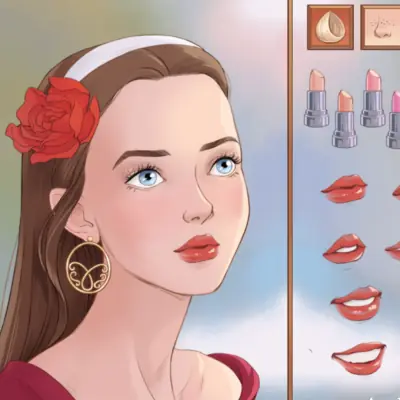
Portrait Maker is a face creator. There is no outfit rail, no story and no score: just one face, built feature by feature until it looks like somebody you could recognize.
You start with the eyes, nose and lips, then move on to the makeup: eyeliner, eyeshadow and a bit of sparkle. After that comes the hair, the hair color and the accessories that finish the picture. The producer calls it "Create a Face", and that is exactly the job.
Why the small choices matter here
Most avatar makers draw big anime eyes on a tiny face, so almost any combination looks cute. Portrait Maker is drawn closer to real proportions, and that changes how it plays. Swap the nose and it is a different girl. Change the brows and her whole expression changes with them. That is why people use it to draw themselves, their best friend, or a character from the book they are reading, and why it takes longer than a normal dress up game.
The face
Eyes, nose and lips are the parts that decide who she is. Start there and leave the makeup for later, because a heavy eyeliner can hide what the eye shape is doing.
The makeup
Eyeliner, eyeshadow and sparkles go on top of the eyes you picked. Go soft for a natural portrait or all the way for a glam one; the realistic face shows the difference clearly.
Hair and accessories
The hairstyle and its color change the face more than you would expect. Accessories are the last step, the way you would add earrings before a photo.
Other portrait makers
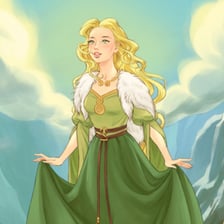
This is the HTML5 Portrait Maker, the one that runs in a normal browser today. There was also an older Flash version, where you clicked straight on the part of the face you wanted to change, and fantasy spin-offs such as Elven Portrait Maker.
Not the same as Live Portrait Maker
If you searched for "portrait maker game", you may also have seen Live Portrait Maker. That is a different game. This one is a face maker.
Playing Portrait Maker
- Pick a part of the face, the eyes for example, and click through the options until one fits.
- Do the same for the eyebrows, nose and lips, so the face is right before any makeup goes on.
- Add eyeliner, eyeshadow and sparkles.
- Choose a hairstyle, then change its color.
- Finish with accessories, then take a screenshot to keep your portrait.
More games like this
Frequently asked questions
Can I make a portrait of myself?
Yes, and it is one of the better games for it, because the face is drawn with realistic proportions rather than as a cartoon.
How do I keep my portrait?
Take a screenshot when the face is finished.