
Manga Creator Star Wars: Page 2
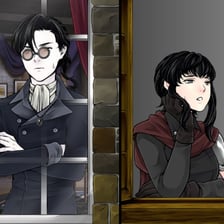
Manga Creator Star Wars Page 2: Fan-Made Jedi and Sith
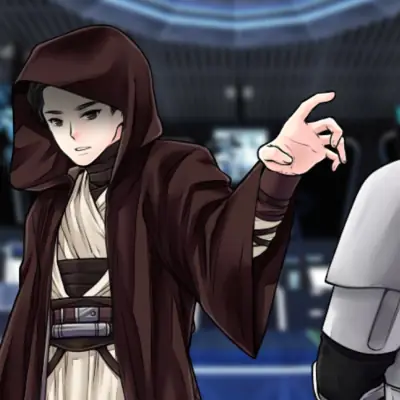
Manga Creator Star Wars Page 2 is a fan-made Jedi and Sith creator in anime style. You design your own Jedi, Padawan or Sith, choose a lightsaber color and set the scene, with speech bubbles for a bit of drama.
This is a fan creation. It is not an official Star Wars game and is not connected to Lucasfilm or Disney.
Designing the face
The character design goes deep. You choose the skin tone and an eye color from a very wide range, then the brows and mouth. Freckles, scars and facial hair are all there too, so you can make a wise old master, a young apprentice or a battle-worn villain.
Hair
There are many hairstyles to scroll through, and the hair color can be changed until it feels right.
Light side or dark side
The outfits decide which side your character is on:
- classic Jedi robes
- dark, edgy Sith armor
- unique outfits that sit between the two
Accessories
A hood adds mystery, fantasy-style jewelry adds a personal touch and a mask hides your character's identity completely.
Choosing the lightsaber
Picking the saber color is the moment every fan waits for. One important tip: the lightsaber only shows up once you go back to the main menu. If it seems invisible at first, do not worry, it is there.
Backgrounds
The Backgrounds section changes the whole setting. You can show your character mid-air in a Force struggle, or keep things clean with a single-color backdrop. There is a mix of choices for different moods.
Speech bubbles
Add dialogue between characters, write a short scene or just drop in a funny or dramatic line.
Characters to try
Young Padawan
Light robes, short hair, freckles and a blue or green saber.
Sith lord
Dark armor, a mask, a scar and a red saber.
Grey Jedi
A hood over neutral robes and an unusual saber color.
Playing Manga Creator Star Wars: Page 2
- Choose the skin tone and eye color, then brows and mouth.
- Add freckles, scars or facial hair if you want them.
- Pick a hairstyle and color.
- Dress your character in Jedi robes, Sith armor or something unique, then add a hood, jewelry or mask.
- Choose the lightsaber color, then go back to the main menu to see it.
- Pick a background and add speech bubbles.
More games like this


Frequently asked questions
Why can't I see the lightsaber?
The lightsaber only appears after you go back to the main menu.
Is this an official Star Wars game?
No. It is fan-made and not connected to Lucasfilm or Disney.
Can I make a Sith?
Yes. You can make a Jedi, a Padawan or a Sith, with dark armor and masks for the dark side.
Are there backgrounds?
Yes, including a Force struggle scene and single-color backdrops.